
Version 0.1.0 · 17 November 2026
Notes that stay plain files on your disk
Blocknotik is a small notes app. Every note is an ordinary Markdown file in a folder you choose. You write, link notes with [[double brackets]], tag them and find them again with search. That is the whole idea.
- Windows, macOS, Linux
- about 3 MB, no installer
- works offline
- free, MIT license
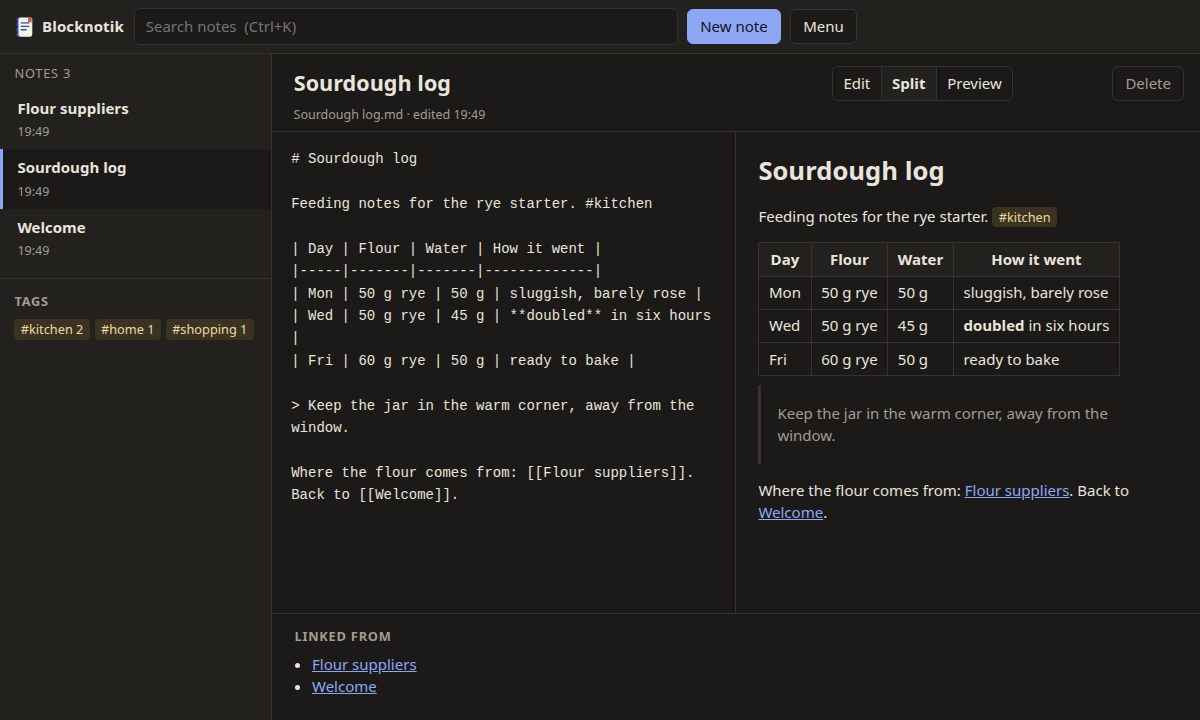
What it does
Plain files
A note is a .md file named after its title. Open the folder in any editor, back it up, put it under Git — Blocknotik notices changes made by other programs.
Links both ways
Write [[Sourdough log]] to link a note. Under every note you see which notes link to it. A link to a note that doesn't exist yet creates it with one click.
Search that answers
Type a few letters and the list narrows as you type: titles first, matches highlighted. Exclude words with a minus, look for exact phrases, filter by tag:.
Tags
Write #kitchen or #work/reports anywhere in the text. The sidebar lists all tags with counts; nested tags are found by their parent.
Safe renames
Rename a note and every [[link]] to it is updated in the other notes. Deleted notes go to a .trash folder instead of disappearing.
In and out
Export everything as a zip of Markdown files or as a small static HTML site. Import .md, .txt or a zip of them; nothing gets overwritten.
How it works
Blocknotik is one executable file. When you start it, it opens your notes in the web browser you already have. The browser only talks to the program on your own computer, at the address 127.0.0.1; nothing leaves the machine.
There is no installer, no account and no background service. Close the program window (or pick Quit in the menu) and it's gone. Your notes are still where they were: in the Blocknotik folder in your home folder, or wherever you pointed it.
Why it is built this way · How the local connection is protected
~/Blocknotik/
├── Welcome.md
├── Sourdough log.md
├── Flour suppliers.md
├── work/
│   └── Quarterly report.md
├── images/
│   └── starter.jpg
└── .trash/          ← deleted notes
Search and preview

Search goes through titles and text of all notes at once. On a folder with five thousand notes it takes around 20 milliseconds on a modest four-core mini PC. Search syntax
What it doesn't do (yet)
- No sync of its own. Use any folder sync tool, Git or a network drive — see how.
- No mobile app. On a phone, any Markdown editor can open the same files.
- No plugins, no themes beyond light and dark (it follows your system).
- No encryption. If the notes are private, keep them on an encrypted disk.
- No clickable checkboxes in preview yet: tick tasks by typing
x. - The Windows and macOS builds are not code-signed, so the system will warn you once. What to do
Try it on your own notes
Download the archive for your system, unpack it and start blocknotik. Point it at an existing folder of Markdown files with --dir and see how it feels.